

Bulk Orders Available
Special Pricing for Schools, Colleges & Businesses


Couldn't load pickup availability


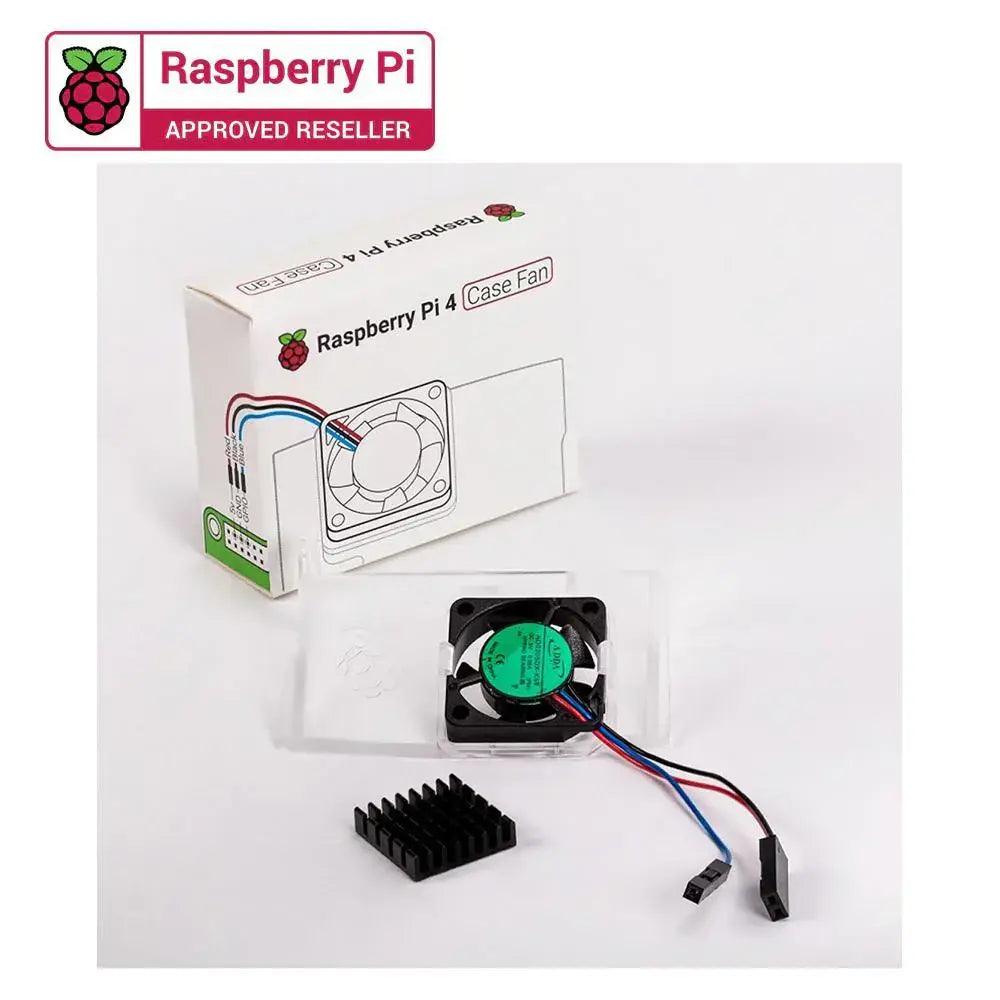
The Raspberry Pi Case Fan is one of the latest accessories designed specifically for the Raspberry Pi 4. It provides effective cooling and is optimized to deliver proper airflow for Raspberry Pi 4 boards when used with the official case. Developed by Raspberry Pi, this fan helps maintain stable performance during heavy processing tasks.
The official Raspberry Pi case fan also includes a heatsink with a self-adhesive backing, which helps improve heat transfer from the processor to keep the board cooler during operation.
Place your Raspberry Pi into the lower half (base) of the case, ensuring that the mounting holes on the board align properly with the supports inside the case.
Insert the fan into the upper half (lid) of the case, making sure the label is facing away from the lid. Gently press it until the two tabs on the fan housing snap securely into the tabs on the lid.
If you are installing the heatsink, remove the protective film from the self-adhesive pad on the bottom of the heatsink. Position it carefully over the processor and press gently to secure it in place.
Connect the three fan wires to the appropriate GPIO pins on the Raspberry Pi 4.
Finally, place the lid onto the base of the case to complete the assembly.
Orders placed before 3 PM IST will be shipped on the same day (excluding Sundays and Public holidays) through our shipping partners. In rare cases, the pickup may get delayed during Public holidays / Bandh / Environmental disturbances.